Menu
Our Office
10/413 E, F . OPP SBOA SCHOOL, West Nada South Chittoor

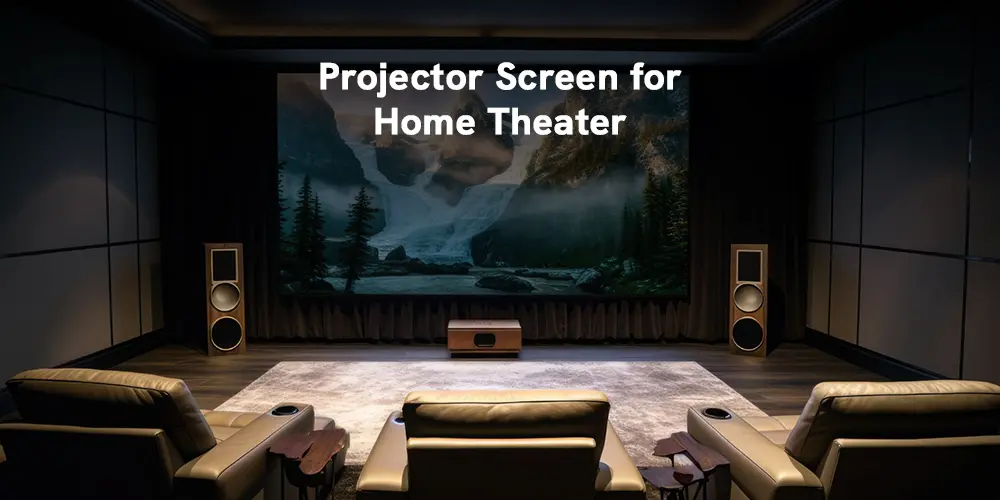
Walk into any of our completed home theatre rooms and you'll notice something right away: the screen does as much work as the projector.
We've seen clients spend ₹4 lakhs on a high-end projector and pair it with the wrong screen — and then wonder why it doesn't look like a cinema. The screen is not a blank backdrop. It's an optical instrument. The decision comes down to four things: size, gain, material, and room conditions.
1. Screen Size: Start With Your Seating Distance
The professional formula is simple:
| Room Depth | Recommended Screen Size |
|---|---|
| 8–10 feet | 80–100 inches |
| 10–14 feet | 100–120 inches |
| 14–18 feet | 120–140 inches |
| 18 feet+ | 140–150 inches+ |
For most Indian living rooms and dedicated home theatre rooms, 100–130 inches hits the sweet spot. Go bigger only if your seating distance supports it — minimum viewing distance is roughly 1.2× the screen width.
Quick tip: Before buying, mark the screen size on your wall with tape. Most people underestimate how large these screens actually are.
2. Aspect Ratio: 16:9 for Almost Everyone
For most homeowners, 16:9 is the right choice. It matches all modern projectors and suits the streaming content you'll watch — Netflix, Prime Video, OTT, gaming.
The only exception: if you're building a dedicated cinema room and want true widescreen cinematic framing, a 2.35:1 cinemascope screen with an anamorphic lens delivers a spectacular result — but it needs to be planned from the start.
When in doubt, go 16:9.
3. Screen Gain: The Most Misunderstood Spec
Gain measures how much light a screen reflects back toward the viewer. Higher gain is not better gain — it just means the light is more focused into a narrower cone.
| Gain | Best For | Watch Out For |
|---|---|---|
| 1.0 — Matte White | Dark, dedicated home theatres | None — this is the reference standard |
| 1.1–1.3 | Rooms with some ambient light | Slight narrowing of viewing angle |
| 0.6–0.8 — Grey/ALR | Bright living rooms | Requires brighter projector (2,000+ lumens) |
| 1.0+ Fresnel ALR | Bright rooms + UST projectors | Narrow viewing angle, premium price |
For rooms with wide sofa seating — multiple family members spread across the room — a 1.0 gain matte white screen gives everyone the same, colour-accurate picture. High-gain screens look dimmer to anyone sitting at an angle.
4. Screen Material: Which Surface for Your Room?
This is where we see the most confusion. Here's the breakdown:
| Material | Room Type | Lumens Needed | Viewing Angle |
|---|---|---|---|
| Matte White | Fully dark / dedicated theatre | 1,500+ | Wide (170°) |
| Grey (High Contrast) | Semi-dark / some ambient light | 2,000+ | Medium |
| Fresnel ALR | Bright room + standard projector | 2,000+ | Narrow (30–40°) |
| Lenticular CLR/ALR | Bright room + UST projector | 2,500+ | Narrow (20–30°) |
Matte White is the gold standard for light-controlled rooms. Accurate colours, widest viewing angles, works beautifully from 1,500 lumens upward. Almost all our dedicated cinema builds use it.
Grey screens absorb ambient light and improve black levels — darker movie scenes look more cinematic. The trade-off: they also absorb projector light, so you need a brighter projector to compensate.
ALR (Ambient Light Rejecting) screens are genuinely clever engineering. Their micro-structured surface reflects the projector's light toward the viewer while rejecting ceiling and side ambient light. In a bright room, ALR is the only material that makes a projector image look watchable in daylight. The catch: much narrower viewing angles — people sitting off to the sides will notice.
5. Screen Type: Fixed, Motorised, or Floor-Rising
| Type | Best For | Trade-off |
|---|---|---|
| Fixed Frame | Dedicated theatre rooms | Permanent — can't be hidden |
| Motorised / Retractable | Multipurpose living rooms | Slight flatness trade-off on very large sizes |
| UST Floor-Rising | Modern living rooms + UST projectors | Works only with UST projectors |
Fixed-frame screens offer the flattest, most cinema-like surface and are what we install in the vast majority of our dedicated builds. Motorised screens are the right call when the room serves multiple purposes and the screen needs to disappear when not in use.
6. Matching Screen to Projector — The Rule Nobody Tells You
Not all screens work with all projectors. This is the single most common mistake we correct in consultations.
| Projector Type | Compatible Screens |
|---|---|
| Standard / Long-throw (ceiling-mounted) | Matte White, Grey, Fresnel ALR |
| Ultra Short Throw (UST — sits below screen) | Lenticular CLR / UST-ALR only |
Pointing a UST projector at a standard matte white screen produces a hotspotted, uneven image. If you already own a UST projector, you need a CLR screen specifically designed for that projection angle. There's no workaround.
Quick Reference: Room + Projector → Screen
| Your Room | Your Projector | Our Recommendation |
|---|---|---|
| Fully dark, dedicated theatre | Standard / Long-throw | Matte White, Fixed Frame, 1.0 gain |
| Living room, some natural light | Standard / Long-throw | Fresnel ALR, Fixed Frame or Motorised |
| Living room, bright, daytime use | UST projector | Lenticular CLR, Floor-Rising |
| Multipurpose room, screen must retract | Standard throw | Grey, Motorised Tab-tensioned |
| Large room, wide seating row | Standard / Long-throw | Matte White 1.0 gain, Fixed Frame, 140"+ |
Choosing a projector screen is straightforward once the variables are clear. Match your screen material to your room's light conditions, your gain to your seating arrangement, and your screen type to your projector. Most Indian home theatre rooms land on a 120-inch, 16:9, matte white or ALR fixed-frame screen — but the right answer is always specific to your actual space.
If you're not sure where to start, we are.
Get a free home theatre consultation with our installation team → Contact CineGalaxy
Call us: +91 914 207 3068