Menu
Our Office
10/413 E, F . OPP SBOA SCHOOL, West Nada South Chittoor

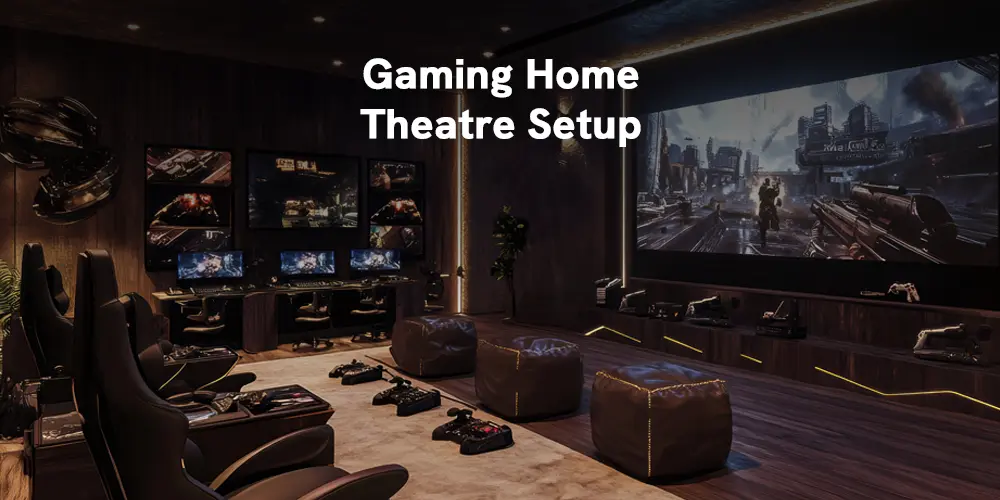
Optimising a home theatre for gaming involves high-performance hardware, immersive audio technologies like Dolby Atmos, proper speaker placement, and console-specific settings for PS5, Xbox Series X, and gaming PCs.
Gone are the days when home theatres were reigned only by cinema and Television shows. Today, the platform has a wide scope, entertaining your family in countless ways. Multiple streaming platforms such as Netflix, Amazon Prime, and Jio Hotstar allow you to enjoy a variety of shows as well as play games. So in this blog, you will get a fair idea of how to enhance your overall gaming experience in a home theatre by optimising your home theatre for PS5, Xbox Series X, and High-End PC Gaming. You can read on this if you are into gaming home theatre setup.
Immersive audio technology in home theatre
Immersive audio technology in acoustics is used in home theatre setups to provide the best gaming sound experience. It is true whether it is a high-end PC game or any other video game. You and your friends can play games you love with the feeling of being together and sharing an immersive experience of visuals and sounds.
The immersive audio technology landscape is wide and deep, and it is possible to use many kinds of options to deliver a high-end gaming experience with stunning visuals and a surround system. Many top brands make video game consoles, and each can satisfy your dire need to have an immersive gaming experience right from your home.
How to optimise video game consoles?
From the perspective of a gamer, an immersive audio system delivers the best sound experience in a given space, rendered as 3D. This is achieved by simulating the head-related transfer function (HRTF) amplitude and phase characteristics using digital filters. Any game needs you to bring a detailed sound system and visual experience to truly immerse yourself in the game. Depending on your home theatre infrastructure and your budget, you can optimise the video game console of your choice. Here, you will be reading about PS5, Xbox Series, and high-end PC gaming.
PS5 is a home video game console by Sony Interactive Entertainment. The PlayStation 5 is a powerful centrepiece for a home theatre, supporting 4K resolution at 120Hz, Variable Refresh Rate (VRR), and immersive Dolby Atmos audio. To get the best experience, you'll need to optimise your connection and settings.
1. Hardware setup - You need to make sure the hardware meets your needs
2. PS5 audio output Configuration - It covers checking audio input and enabling 3D audio, as it is the best audio setup for PS5
3. AVR and speaker optimisation - You need to change the AVR sound mode and calibrate your room
4. Optimisation for 3D audio and spatial awareness - PS5 is compatible with two kinds of spatial audio: Dolby Atmos and 3D audio for speakers.
Xbox Series X is Microsoft's flagship gaming console, designed for high-performance 4K gaming. It is part of the ninth generation of consoles and is widely considered the most powerful Xbox ever made, featuring 12 teraflops of graphical processing power.
1. Configuration of Xbox audio settings - You need to set up audio in Xbox settings to enable immersive audio.
2. Optimal physical connection - A high-quality audio and video need an optimal physical connection. For instance, the use of ARC/eARC
3. Dolby access app setup - Downloading and configuring Dolby Atmos for home theatre
4. Optimisation of 3D spatial audio - It covers optimization of headphones and speakers
5. Troubleshooting and audio enhancement
High-end PC gaming in a home theatre requires a dedicated setup to experience an enhanced gaming experience. You need to undergo the following:
1. Hardware and physical setup - An AVR receiver, speaker and HDMI cable and many other components comprise the hardware setup
2. Windows PC audio Configuration - enabling spatial audio, accessing Dolby Atmos, disabling enhancement features and selecting your AVR are basic things in PC audio configuration
3. AVR and speaker optimisation - In-game AVR processing and speaker optimisation ensure a top gaming experience
4. Room acoustics - You need to consider the room setup to enhance the best audio experience. It may mean rewiring the interior.
5. Specific game settings - You can set display calibration, GPU control panel and graphics as you desire to achieve an optimal gaming experience
Benefits of immersive audio optimisation in gaming
- Competitive advantage through precision, as you will have enhanced spatial awareness
- Deep-rooted immersive realism is attainable through an amalgamation of audio and video
- High-end performance is possible in every changing game environment
Whether we agree or not, immersive audio systems are finding their way into our everyday entertainment. Optimising your immersive audio system for different video game consoles helps you explore games in a subtle, luxurious manner. We are a team of experts who can help you set up or any other preference you love to enjoy video games on your home projector.
FAQ
Q: What is immersive audio in a home theatre gaming setup?
Immersive audio uses technologies like Dolby Atmos and spatial audio to create a 3D sound environment, allowing gamers to experience sound from all directions for a realistic gaming experience.
Q: How can I optimise my home theatre for PS5 gaming?
Enable 3D audio on your PS5, use an HDMI 2.1 cable for 4K at 120Hz output, configure your AV receiver and speakers correctly, enable Dolby Atmos if your setup supports it, and calibrate your room acoustics for the best sound performance.
Q: What are the best audio settings for Xbox Series X?
Enable Dolby Atmos through the Dolby Access app on your Xbox Series X, use an HDMI eARC connection for high-quality audio pass-through, configure your speaker layout in the audio settings, and fine-tune spatial audio to match your room and speaker positioning.
Q: Do I need an AV receiver for home theatre gaming?
Yes. An AV receiver significantly improves sound quality by decoding surround sound formats like Dolby Atmos and DTS:X, and by managing multiple audio and video inputs cleanly — resulting in a far more immersive gaming experience compared to a TV's built-in speakers alone.
Q: How does spatial audio improve the gaming experience?
Spatial audio enhances directional sound accuracy, making it possible to detect the precise location of footsteps, gunfire, vehicles, and environmental cues around you. This improves both immersion and competitive performance, particularly in games where positional awareness matters.
Q: What is the ideal speaker setup for gaming?
A 5.1 or 7.1 surround sound system is the ideal starting point for home theatre gaming. For a more advanced setup, Dolby Atmos-enabled speakers with upward-firing drivers add overhead height channels, creating a fully three-dimensional soundstage that places audio above and around you.
Q: Can I use a high-end PC for home theatre gaming?
Yes. A high-end PC with the right GPU configuration, Dolby Atmos support enabled through Windows Sonic or the Dolby Access app, and proper AV receiver integration can deliver a premium home theatre gaming experience on par with — or exceeding — dedicated consoles.