Menu
Our Office
10/413 E, F . OPP SBOA SCHOOL, West Nada South Chittoor

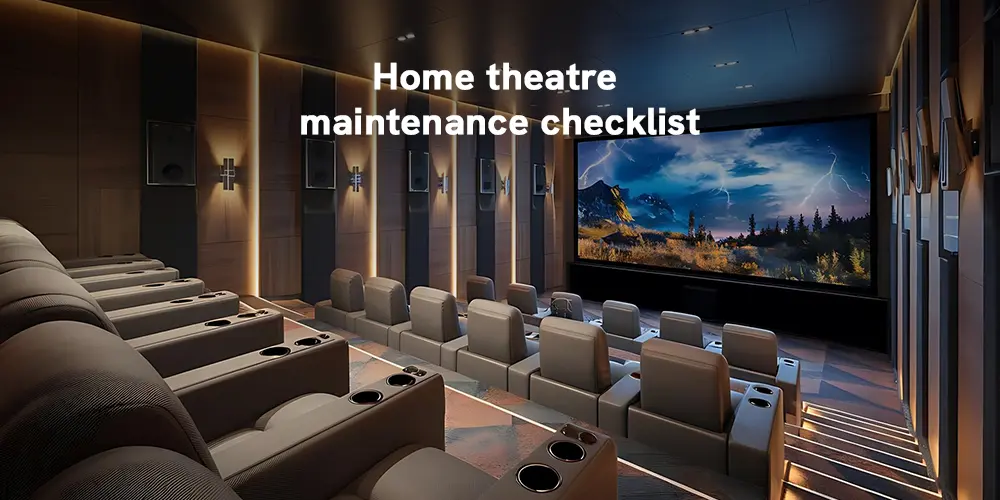
Think about the last time your home cinema genuinely stopped you mid scene. Not because something went wrong because everything was exactly right. The Dolby Atmos overhead channels placed a helicopter precisely above your head. The laser projector threw a flawless image wall to wall. The room was quiet except for what was supposed to be there.
That moment didn't happen by accident. It was the result of careful design, precision installation, and though it's easy to forget a system that was still performing exactly as it was built to perform.
Here's what nobody tells you after installation day: that performance has an expiry date if you ignore it.
Kerala's humidity gets into connector contacts. Monsoon dust -finer and stickier than what most maintenance guides are written for slowly chokes amplifier cooling fins and projector ventilation. DSP calibration profiles drift after firmware updates. Speaker mounts that carry ceiling-installed Atmos drivers develop micro looseness from months of acoustic vibration. None of it is dramatic. All of it compounds.
A high-end home cinema is a precision instrument closer in nature to a recording studio than a consumer electronics setup. And like any precision instrument, it rewards the people who maintain it and quietly punishes those who don't.
This home theatre maintenance checklist is built specifically for premium installations the kind where every component was chosen deliberately, every cable run was engineered, and the room itself was acoustically treated. It comes from the team at CineGalaxy, who have designed and installed over 800 Dolby Atmos and Auro 3D cinema rooms across India. Use it to protect what you built.
Why High-End Systems Need More Attention
There's a common assumption that expensive equipment is more resilient. In some ways that's true flagship components are built to tighter tolerances. But a high end system also has more to lose. A reference grade AV processor running at elevated temperatures doesn't just degrade slightly , it can cause DSP errors that corrupt your entire surround decode. A dirty lens on a 4K laser projector doesn't produce a slightly soft image - it produces one visibly below what the system is capable of.
The complexity is also greater. A 9.4.6 Dolby Atmos or Auro 3D installation involves dozens of cable runs, multiple amplifier zones, room correction filters, acoustic panel arrays, and often smart home integration. More components means more touchpoints for things to drift, loosen, or fail quietly.
Regular, structured maintenance is what separates a system that sounds spectacular for a decade from one that slowly becomes ordinary.
Monthly Maintenance: The Fast Checks That Matter Most
These tasks take under 30 minutes and prevent the vast majority of common issues.
1. Clean Acoustic Panels and Speaker Surfaces
High-performance acoustic panels : whether fabric-wrapped fibre panels, diffusers, or corner bass traps accumulate dust that gradually changes their absorption coefficients. Use a low suction vacuum with a soft brush attachment across all panel surfaces monthly.
For speaker enclosures, wipe down with a dry microfibre cloth. On horn loaded or ribbon tweeters common in high-end cinema loudspeaker systems never touch the driver element itself. Clean only the surrounding baffle and enclosure.
2. Inspect the Laser Projector's Ventilation and Lens
A high-output laser projector : whether a 3 chip DLP or laser phosphor unit generates significant heat and needs unobstructed airflow at all times. Monthly, check that ventilation inlets and outlets are clear of dust. If the projector has a user accessible dust filter, clean it according to the manufacturer's schedule
For the lens: use a lens blower first to dislodge loose particles without contact, then a clean optical grade microfibre cloth for any residue. The lens coating on a cinema grade projector is precision applied using anything abrasive or chemically harsh will permanently degrade image quality.
3. Firm-Seat All Critical Connections
Every month, do a connection audit on your most used signal paths. This means gently firm seating your HDMI 2.1 cables at source and display ends, XLR balanced audio connections between your AV processor and amplifiers, and speaker binding posts on your main LCR speakers.
High end systems often use XLR terminated balanced lines for long runs these are significantly more robust than unbalanced connections, but the locking collar should still be checked periodically.
4. Check Amplifier Ventilation Clearances
Separate power amplifiers : multi-channel units handling 7, 9, or more channels at high current run warm under load. Ensure a minimum of 15–20cm of clear space above each unit and that no equipment has been placed on top since the last check. If your amplifiers are rack mounted, confirm that blanking panels are in place between units to prevent hot air recirculation within the rack.
Quarterly Maintenance: Going Deeper
Every three months, spend an hour on these more thorough checks.
5. Full Cable Inspection
Pull every accessible cable slightly from its routing path and inspect for kinks, pinch damage, or heat exposure. Pay particular attention to:
- HDMI 2.1 runs longer than 5 metres, these are often active cables (with internal electronics) and more sensitive to physical stress
- Speaker cables at binding post terminations, where repeated minor vibration can fatigue the conductor over time
- Any cable routed near a heat source, including amplifier exhausts or projector vents
For reference-grade cabling and professional cable management solutions, CineGalaxy's team can assess and upgrade any element of your signal chain.
6. AV Processor and Preamplifier Health Check
Your AV processor whether a flagship Trinnov, StormAudio, or Datasat unit is the signal brain of your cinema. Quarterly, check its display for any warning messages, verify that all input and output assignments are responding correctly, and confirm that room correction filters are still loaded and active.
Processors with DSP-based room correction (Trinnov Optimizer, Dirac Live, MCACC Pro) store calibration profiles that can occasionally be overwritten by firmware updates. Verify that your calibration profile is intact after any firmware change.
7. Screen Surface and Gain Inspection
A high-gain or acoustically transparent projection screen requires more care than a standard white surface. Quarterly, inspect the screen under a bright torch at an oblique angle to reveal dust accumulation, surface abrasion, or any developing hot spots in the gain layer.
For acoustically transparent screens, also check the weave tension - if the screen is showing any ripple or sag, it's affecting both image uniformity and the high-frequency output of any speakers positioned behind it.
8. Individual Speaker Channel Test
Run your AV processor's built-in pink noise sweep through every channel individually - all main channels, surrounds, height speakers, and subwoofers. This systematic check catches a failed driver, a blown tweeter, or a channel with reduced output that you simply don't notice during normal movie playback because other channels mask it.
If you have a calibrated SPL meter or a measurement microphone connected to your processor, note the output level per channel and compare it against your last calibration measurement. Any channel varying more than 2dB from its calibrated level warrants investigation.
Annual Maintenance: The Full System Health Review
Once a year, conduct a comprehensive system review — ideally before the monsoon season in Kerala, when humidity rises sharply.
9. Professional Recalibration
Room acoustics are never truly static. New furnishings, changed curtain configurations, additional acoustic treatment or simply seasonal humidity shifts all alter how sound behaves in the room. An annual professional recalibration restores your system to its designed performance baseline.
For Dolby Atmos and Auro 3D installations, this means re-running room correction filters, re-measuring height channel levels and delays, and verifying that the three-dimensional soundfield geometry is correct. This is not something to defer even small calibration drift noticeably affects the precision of object based audio.
The CineGalaxy post-installation support and calibration team works with all major processor platforms and can restore your system to its original specification regardless of how long it has been since installation.
10. Firmware Updates - Full System Pass
Once a year, systematically update firmware across every networked device: AV processor, power amplifiers (where applicable), laser projector, 4K media players, smart home controllers, and any networked speakers or streaming endpoints.
High-end AV processors receive particularly important firmware updates- Trinnov and Datasat frequently release updates that improve Dolby Atmos object rendering, add new speaker format support, and address DSP processing refinements. Staying current matters for performance, not just stability.
11. Laser Module Brightness Verification
Laser light sources in high-end projectors maintain their output far longer than traditional lamps - most are rated for 20,000 hours or more at full brightness. However, laser modules do undergo gradual lumen depreciation, and the projector's internal brightness compensation (sometimes called Dynamic Black or Laser Power Management) can mask early degradation.
Annually, run a full white field on screen and measure brightness output with a calibrated meter at the reference seating position. Compare against your original commissioning measurement. Any significant drop warrants a service inspection.
12. Structural Integrity of All Mounted Equipment
In a high-end installation, ceiling-mounted height speakers, in-ceiling subwoofers, and projector rigging mounts bear significant ongoing load. Annually, have every ceiling fixture, wall bracket, projector mount, and equipment rack anchor point inspected and re-torqued by a qualified installer.
This is both a performance issue and a safety one - a projection unit or a ceiling speaker in free fall is a serious risk.
13. Full Cable Management and Labelling Review
A dedicated cinema room often evolves over time - new components are added, source devices change, and cable runs multiply. An annual pass through your cable management infrastructure identifies any new wear points, reorganises bundled cables that have developed heat issues, and ensures every run is correctly labelled. This pays dividends every time a component needs service or replacement.
When Professional Service Is the Right Call
Some situations call for the experts regardless of your comfort with maintenance:
- Visible banding, colour shift, or convergence error in your laser projector image
- An AV processor that's running warmer than usual or showing intermittent DSP errors
- Any height channel or surround speaker that sounds tonally different from its pair
- Post-renovation recalibration after any structural change to the cinema room
- System expansion — adding channels, upgrading the processor, or integrating new automation
Get in touch with the CineGalaxy team for a professional system health assessment. We serve clients across Kerala : including Kochi, Trivandrum, Thrissur, Kozhikode etc... and bring the same standard of care to maintenance as we do to original installation.