Menu
Our Office
10/413 E, F . OPP SBOA SCHOOL, West Nada South Chittoor

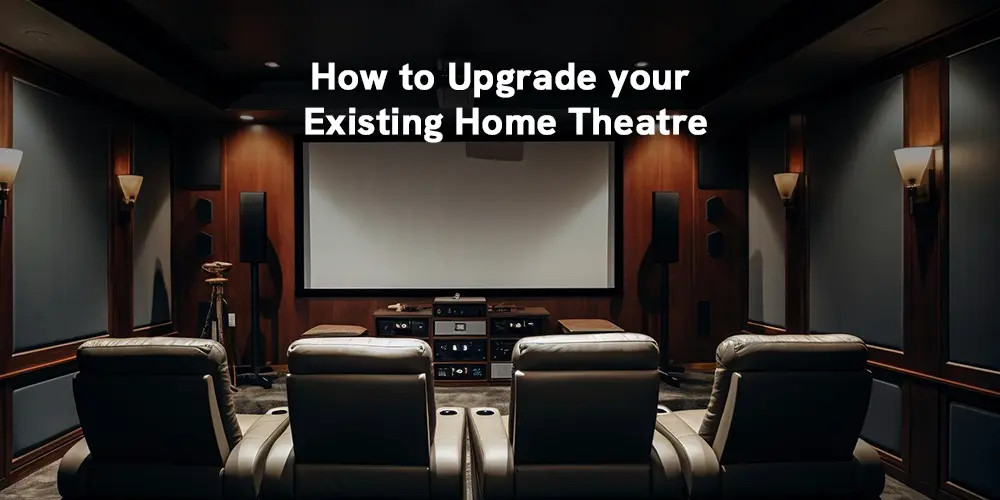
You've invested in a serious home theatre. A dedicated room, reference-grade JBL speakers, a flagship Denon processor, a 4K laser projector throwing a 150-inch image onto an acoustic screen. The system cost more than most people's cars — and it should be extraordinary.
But something isn't quite right.
The soundstage feels narrow. The image lacks depth. Action sequences don't hit the way they should. Your first instinct might be to call your dealer and ask what's new.
Before you do, stop and ask a more important question: is the hardware actually the problem?
At this level of investment, the performance gap between a properly calibrated system and a poorly configured one is enormous — consistently larger than the gap between equipment tiers. Here's how to diagnose what you actually have, and make intelligent decisions about where to go next.
Why Even Reference Systems Underperform
A premium home theatre is a precision instrument. Like a high-performance car built for a specific track, it performs at its potential only when it has been configured for your specific room.
Acoustics are the single largest variable in audio performance. Low-frequency room modes create bass build-up at certain seats and cancellations at others. First reflections smear stereo imaging. A live back wall turns surround channels into chaos. No amount of hardware upgrades can fully compensate for an acoustically untreated room — and this is where most premium systems quietly fail.
The same logic applies to projection. A Sony or Epson laser projector running factory defaults is a different machine from the same model after professional calibration. Gamma tracking, white balance, and tone-mapping curves all drift from ideal, and the result is a picture that looks impressive but isn't performing anywhere near its capability.
Your system almost certainly has more to give. The first question is whether the path there runs through calibration, acoustics, or hardware.
The Calibration Baseline for a Premium Setup
Before any upgrade conversation makes sense, these steps are non-negotiable.
Professional display calibration for your projector. At this investment level, standard user presets aren't enough. Your Sony or Epson laser projector needs a certified ISF calibration: gamma tracking across the full luminance range, white balance measured at multiple points in the greyscale, accurate colour primaries and secondaries, and a properly configured HDR tone-mapping curve tuned for your specific screen size and room light levels. Done properly, this is a transformation — not a minor tweak.
Advanced room correction on your AV processor. The Denon AVC-X8500HA runs Audyssey MultEQ XT32, one of the most capable room correction systems available. Most installations run the auto setup once and leave it. That's a mistake. The Audyssey app allows fine-tuning of the target curve, adjustment of sub-bass roll-off, and correction of individual speaker responses that the auto process misses. This alone dramatically tightens imaging and dialogue intelligibility, particularly in rooms without ideal acoustics.
Speaker alignment and crossover optimisation. The JBL ScreenArray series and JBL screen-channel speakers are precision tools that reward precision setup. Each speaker needs to be measured at the primary and secondary listening positions, crossover points set based on in-room response rather than specification sheets, and channel delays calculated to the actual speed-of-sound distance from each seat. This is not the same as running auto-EQ — it's a deliberate, measurement-driven process that takes time and expertise.
Projector screen interaction. Your projector screen's gain, surface texture, and viewing angle affect perceived contrast, colour saturation, and off-axis performance. Calibration must account for the specific screen in your room — a calibration done without measuring at the screen surface is incomplete. Cine Galaxy's acoustic projector screens, spanning 100-inch to 200-inch configurations, each have their own reflective properties that the calibration must work with, not against.
When the Hardware Genuinely Needs to Change
Calibration addresses configuration. It cannot change what the hardware is capable of. Here's when an upgrade is the honest answer.
Your AV processor is pre-Atmos or lacks modern decoding. The Denon AVC-X8500HA supports 13.2 channels of Dolby Atmos and DTS:X processing with 210 watts per channel and 8K passthrough — if your current processor is older and falls short of these capabilities, you are receiving a downmixed or degraded version of content that was mastered for full object-based audio. This is a hardware ceiling, not a calibration problem. Upgrading to a current 13.2-channel flagship processor from Denon changes what the system can fundamentally do.
Your speaker layout is incomplete. Dolby Atmos and Auro-3D are channel-count-dependent experiences. A 5.1 setup, regardless of how well calibrated, remains a 5.1 experience. The JBL ScreenArray Series is engineered for large-format cinema-scale presentation — pairing it with a full 7.1.4 or 9.1.4 overhead layout, proper surround channels, and a high-output subwoofer system running 500 watts or more from the 12-inch sub in the Cine Galaxy range is when the system architecture begins to match the ambition of the hardware.
Your projector cannot hit reference brightness. Older lamp-based projectors dim significantly over their lifespan and can't maintain the 2,000–3,000 lumen output required for proper HDR presentation on screens above 120 inches. Sony and Epson's current 4K laser projectors maintain consistent brightness output over 20,000+ hours — a fundamental engineering advantage over lamp technology. If your projector has accumulated significant hours and HDR content looks dim or lacks the punch of what you've seen elsewhere, the laser source is the upgrade that changes everything.
Your Crown amplification isn't matched to your speaker system. The Crown XLC 2500 delivers high-current output engineered for professional and large-format home cinema applications. If you are currently running your JBL professional loudspeakers from a receiver-class amplifier, you are leaving a significant portion of their dynamic capability unused. Dedicated power amplification matched to your speaker's sensitivity and impedance curves is an audible, measurable upgrade — not a specification exercise.
The Upgrade Priority at Reference Level
When hardware does need to change, this is the order that delivers the most meaningful improvement.
Audio processing capability comes first — the difference between a current Denon AVC-X8500HA 13.2-channel processor and an older 7.1 receiver is fundamental, not incremental. Room acoustic treatment follows closely: custom panels, ceiling absorbers, and bass trapping are the foundation everything else rests on, and no EQ system fully substitutes for physical control of your room's response. Speaker layout completion — achieving a full overhead configuration with proper JBL screen-channel and surround placement — comes next. Then dedicated amplification through Crown's cinema-grade power amplifiers to fully drive your JBL professional loudspeakers. Finally, if your source chain includes older streaming devices or players, current media servers and streamers that support lossless audio formats and full-bitrate 4K delivery represent a worthwhile end-to-end improvement.
What This Looks Like in Practice
A client in Kochi came to us with a system that had been installed two years prior — Sony laser projector, Denon flagship processor, JBL speakers front and surrounds, 150-inch acoustic screen. On paper, the specification was excellent. In the room, it felt like something was missing. Bass was heavy but undefined, the image looked slightly flat, and the overhead channels seemed disconnected from the main soundstage.
The system had never been properly calibrated after installation. Audyssey had been run with the microphone in a single position. The projector's HDR settings were on factory defaults. Speaker delays were based on estimated distances, not measurements.
After a full calibration session — projector profiling, multi-seat Audyssey refinement, speaker alignment, and crossover optimisation — it was a different room. The same hardware, configured correctly, delivered the reference experience it was always capable of.
That's not unusual. It's the norm.
The Standard You're Paying For
At this investment level, you are paying for engineering precision. That precision delivers only when the system is set up with equal precision — by people who know what reference performance actually looks, and sounds, like.
If something is still lacking after proper calibration, the answer usually becomes obvious: a missing channel layout, an older processor without current decoding capability, a projector past its peak brightness. These are genuine hardware conversations. Everything before that is a calibration conversation.
Cine Galaxy Global designs, installs, and calibrates reference home theatre systems across Kerala and South India — from dedicated screening rooms to large-format living room installations. If your system isn't performing the way you expected, the first step is understanding why.